You launched your Wix website. It looks professional. The design is clean. Everything works.
But when people search for what you offer, your business barely shows up.
This is one of the most common visibility failures for small businesses using Wix. And it’s rarely caused by “bad SEO” or not ranking #1.
The issue is simpler: most visibility now happens outside your website.
If you’re only optimizing pages, you’re optimizing the wrong surface.
How People Find Your Business on Google Explained at a Glance
What’s happening:
Google shows answers, maps, profiles, and AI summaries before traditional websites.
Why it’s happening:
Search systems are designed to reduce clicks and surface trusted entities faster.
What breaks:
Ranking alone no longer guarantees exposure. Website-first SEO fails without local and profile visibility.
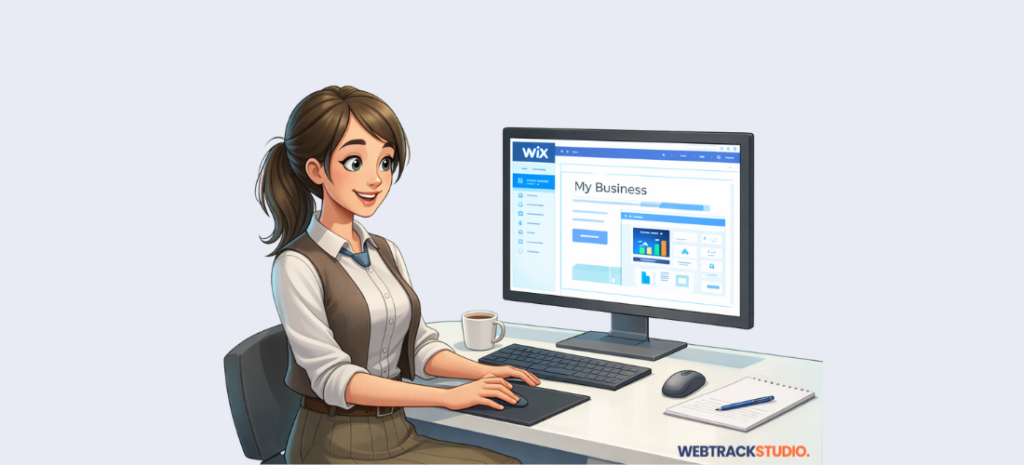
Why your Wix site doesn’t show up even when it looks professional
Google no longer shows ten blue links by default. That system is gone.
Today, a single search can include:
- AI-generated summaries
- Featured answers
- A local map with three businesses
- Images and videos
- “People Also Ask” questions
- Google Business Profiles with reviews
By the time websites appear, they’re often pushed far down the page.
Your Wix site can technically rank and still get ignored.
Ranking isn’t the visibility problem. Placement is.
Where people click when they search
Most users don’t scroll. They interact with what appears first.
That includes:
- The local map pack for nearby services
- Featured snippets that answer questions
- “People Also Ask” expansions
- Images and videos embedded in results
- Google Business Profiles
- Organic listings (as a secondary option)
For local and service businesses, profiles outperform pages.
Why your Google Business Profile matters more than your website
If you serve a city or service area, your Google Business Profile is often the first and last thing users see.
This is where visibility breaks for most businesses:
- The profile is created once and forgotten
- Categories are too broad
- Reviews are missing or outdated
- Photos don’t reflect the real business
Google treats profiles as active trust signals, not static listings.
Google’s own documentation confirms that accurate, complete, and well-maintained business profiles influence how businesses appear across Search and Maps: https://support.google.com/business/answer/3038177
Think of your profile as your storefront inside Google not an add-on.
Why choosing the wrong category stops you from appearing
Your primary category tells Google what searches you qualify for.
This is one of the most common visibility blockers.
Examples:
- “Restaurant” → unclear
- “Italian Restaurant” → better
- “Pizza Restaurant” → strongest intent match
Trying to stay broad usually reduces exposure.
Choose the category that best represents your core service.
Why incomplete business details reduce trust and reach
Google favors clarity.
Your profile should instantly answer:
- What do you do?
- Where do you serve?
- How can customers contact you?
- When are you available?
That means:
- Real business name (no keywords)
- Accurate service areas or address
- Correct phone number, hours, and website
- A clear, human-written description
Service-area businesses should hide their address and define coverage honestly. Overstating areas often backfires.
Why inactive profiles stop showing up
Google favors businesses that look active because users trust them more.
Three areas matter most:
Photos
Real photos outperform stock images.
What works best:
- Your workspace or location
- You and your team working
- Finished projects or results
- Interior and exterior reference shots
A few new photos each month is enough.
Reviews
Reviews strongly influence both visibility and clicks.
What hurts:
- No recent reviews
- Ignoring negative feedback
- Never responding
What helps:
- Asking right after a good experience
- Sharing a direct review link
- Responding to every review
A thoughtful response often matters more than the rating itself.
Posts and Q&A
Weekly Google Posts show activity. They don’t need to sell.
The Q&A section often appears directly in results. Add common questions yourself and answer them clearly.
How your Wix website supports visibility (and what to check)
Your Wix site supports visibility, but it’s rarely the first place people find you.
It helps by reinforcing trust after discovery, matching business details exactly, and answering questions before someone contacts you. When your site and Google Business Profile conflict, visibility drops.
Before adding more pages, audit what Google already shows:
- Are reviews recent and answered?
- Do they reflect your real services?
- Are the same questions coming up repeatedly?
Fixing review and activity gaps is often faster than publishing new content.
Next, continue to Part 2: How to Show Up Above the Search Results (Part 2 of 3), where we break down maps, snippets, and AI answers. And how to appear inside them.
Frequently Asked Questions
Why doesn’t my Wix site show up when competitors do?
Because competitors are visible in maps, profiles, and SERP features not just websites.
How long does Google Business Profile optimization take to work?
Most businesses see movement in 2–4 weeks. Reviews and photos often have faster impact.
Do reviews really affect rankings?
They affect visibility, trust, and click-through. Businesses with active reviews often appear more.
Can I rely on my profile without heavy SEO work?
Yes, especially for local searches. The site supports conversion, not discovery.
What happens if I ignore my profile?
Google surfaces competitors who look more active and trusted, even if their websites are weaker.
If your Wix site still isn’t showing up after you’ve reviewed your profile and reviews, the issue is usually structural, not content-related.
A quick visibility review can identify:
- Profile inconsistencies
- Category or trust gaps
- Review and activity blockers
If you want that checked, request a visibility review here